1. Restart your PC
2. After the PC restarts Open File Explorer
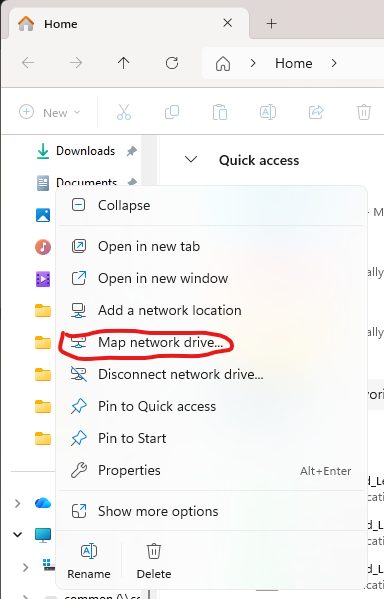
3. Right click on This PC and select Map network drive
4. Under folder type \\server\* and select browse
*\\Server\ is a placeholder the IT team will give you the server name that should be entered
5. Click on the server name entered during step 4 and select the folder you have been given access to.